how to create in freecad etiketine sahip kayıtlar gösteriliyor. Tüm kayıtları göster

21 Mart 2023 Salı

How to Use Symmetry Constraint in FreeCAD?

 The Symmetry Constraint centers two selected points to be symmetrical around a given line, i.e., both selected points are constrained to lie on a normal to the line through both points and are constrained to be equidistant from the line. Alternatively it can constrain two points to be symmetric with respect to a third point.

 You can only use it with tree points or two points and a line. Symmetry button has an two important advantages. First one, It centers to drawings in 2D sketch. Second one is it helps to use less constraint like center, point and dimension.

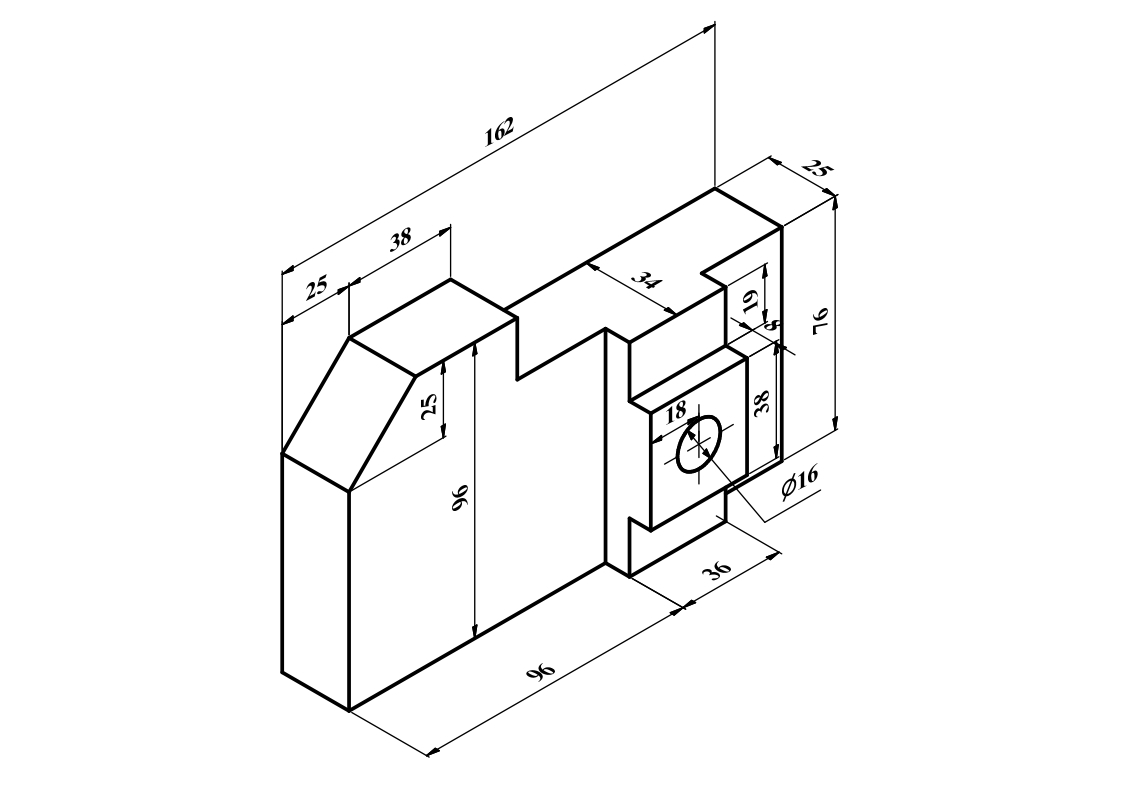
 If you want to understand better how to use it, You should watch my video below. Also I add technical drawing of video to practice with it. 


 Video of this drawing is below. Don't forget to watch my video. You will understand how symmetry button works in FreeCAD.


 If I tell you how symmetry button works shortly. Firstly draw a line or geometric shape. Then follow steps below. There are two working principle of this constraint button.

  • Click the symmetry button first: select the first point, then the symmetry reference point, and finally the second point.
  •  Click the symmetry button last: select the first point, then the second point, and finally the symmetry reference point.
If you want see more video tutorial or different information videos like that, Subscribe my channel. You will have a chance to see more beneficial contents.

 Don't forget to check latest update of FreeCAD. It is an open source program, thats why it can have a new versions. You can see link here: https://www.freecad.org/downloads.php

9 Mart 2023 Perşembe

FreeCAD Part Design Tutorial 13

  FreeCAD Part Design Video Tutorial Technical drawing is below. This time, I create two drawings with views.Video contains how to design this part in FreeCAD workbench. If you want to practice, you can watch all steps in video then you can create same drawing.

 Both technical drawings use for same part design tutorial. First one is for how to decide starting plane. Thats why views have no dimensions.


 Drawing contains

  • How to decide starting plane in 2D sketch
  • Creating datum plane according to technical drawing
  • Using 2D sketch constraints relations
  • Adding constraints
  • Using Isometric View to create a sketch.
  • Adding Dimensions
  • Using lock constraint
  • Creating sketch without external geometry
  • Creating pad and pocket in symmetric to plane.
When you watch below video, You will see how to do these in FreeCAD